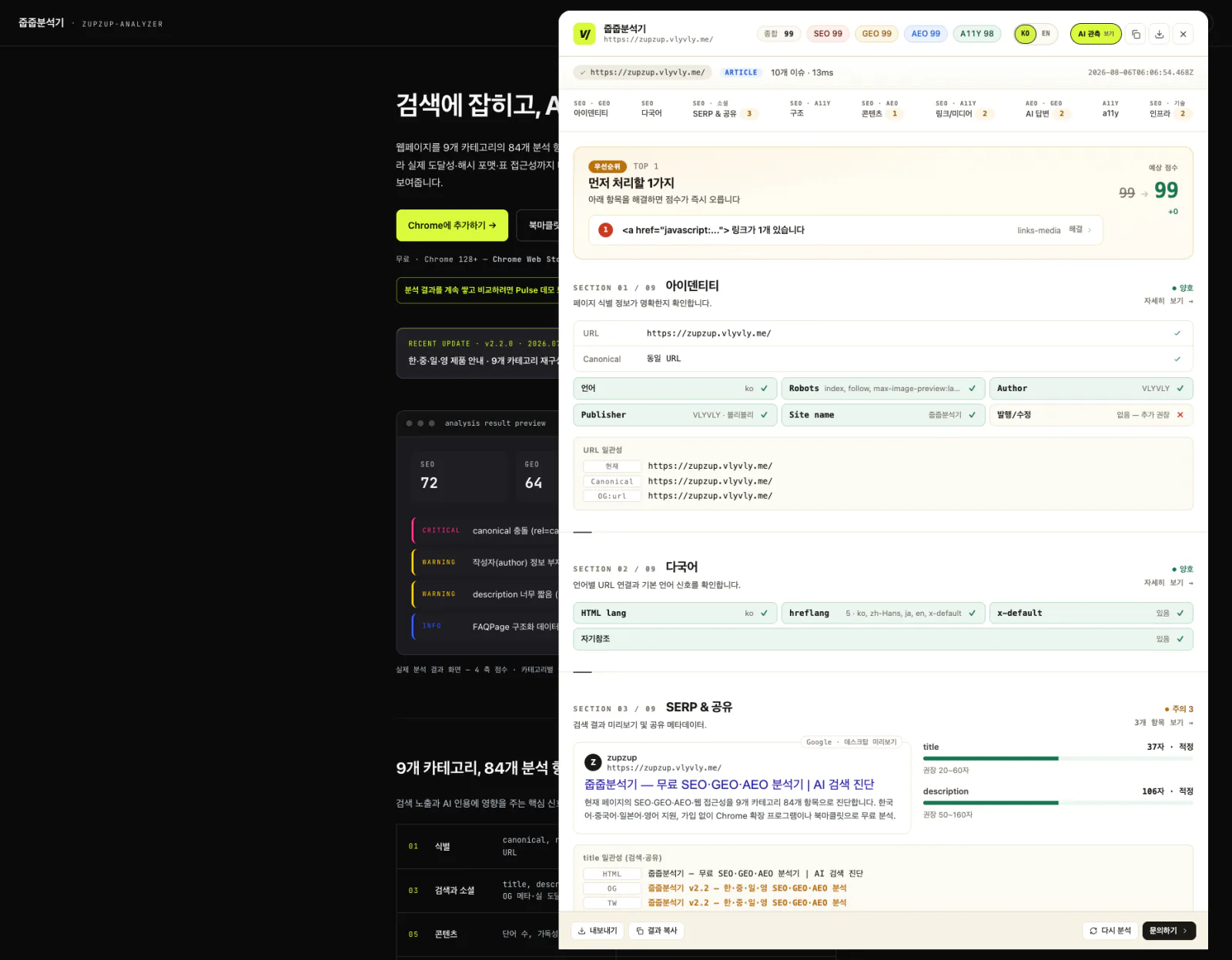
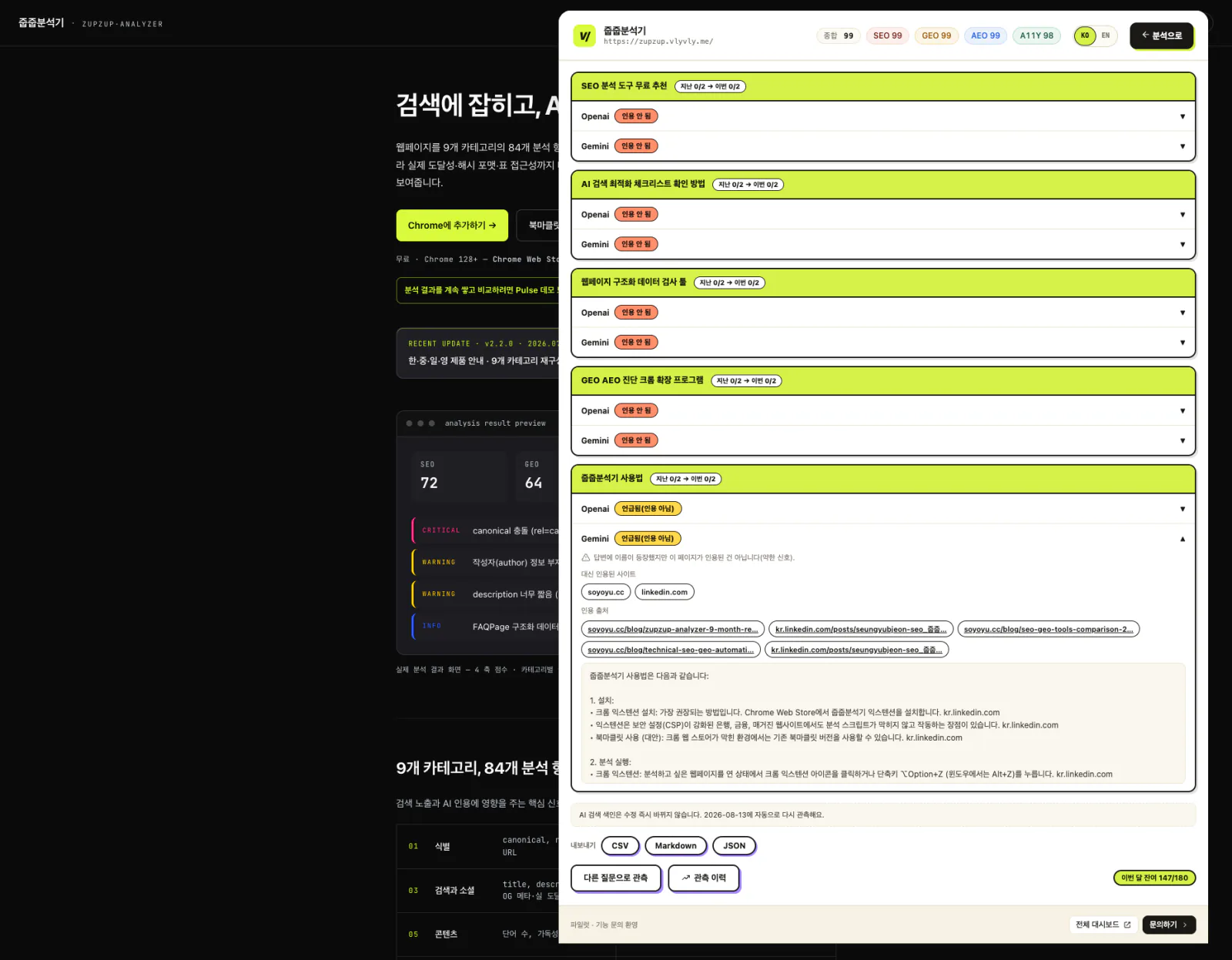
Audit the page you are viewing and check whether AI actually cites it.
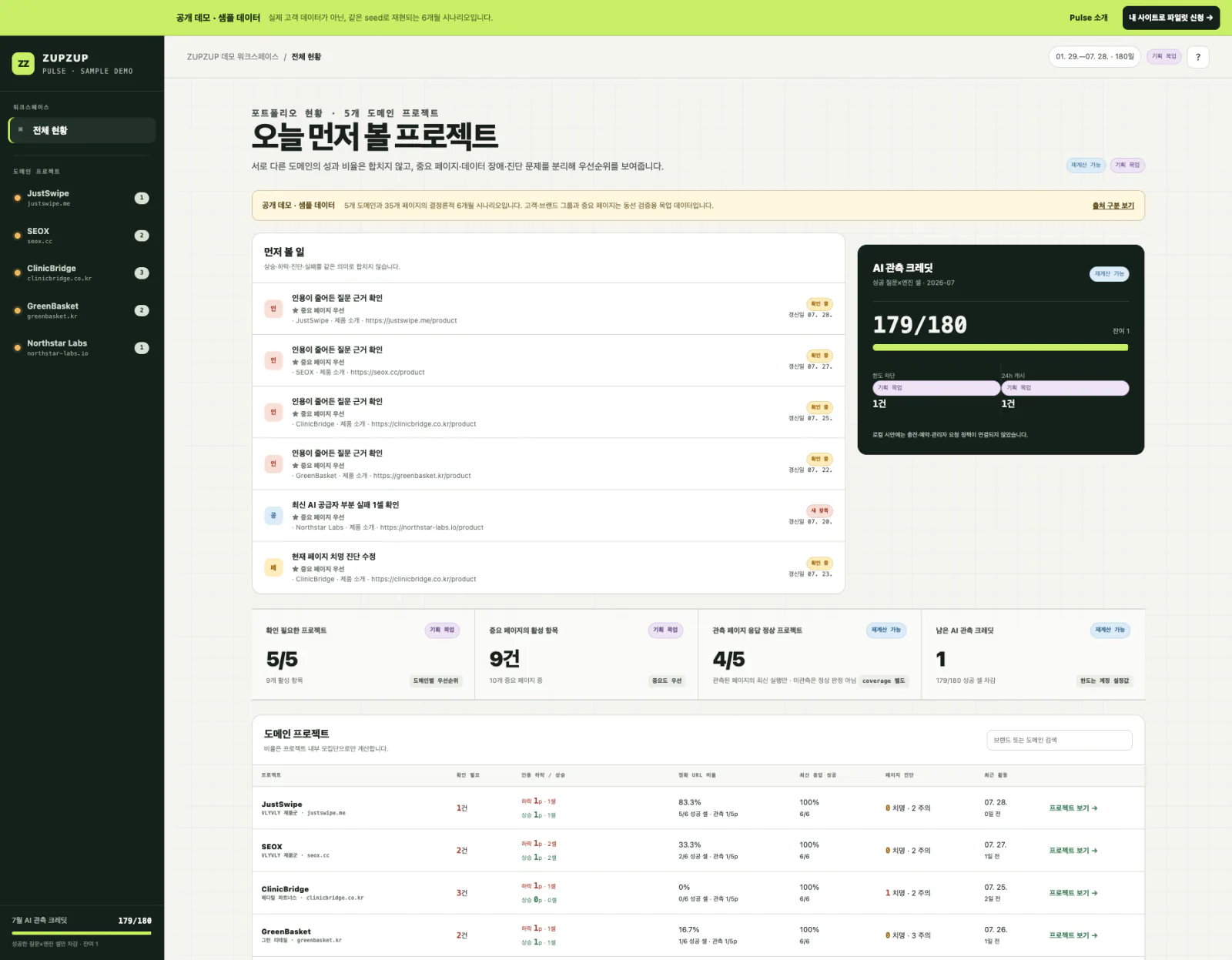
Use the extension or bookmarklet to review 84 checks, then see whether your page is cited for real customer questions. Reopen the results in Pulse.
Audit the current page instantlyClick the extension or bookmarklet to see all 84 checks at once.
Review citations and sources by questionSee whether your page was cited directly and review the other sources used in the answer.
Track changes in PulseSave your results and continue with the next action for each site.
Actual product screens · The Pulse screen uses sample data.
Be found in search. Be cited by AI.
Audit the page you are viewing across 84 checks in nine categories. Beyond surface-level URL checks, ZUPZUP verifies real reachability, hash formats and table accessibility, then shows search and AI visibility in one view.
09Technical InfrastructureHTTPS, CSP, SRI formats, security headers
PRODUCT UPDATE · v2.3.2
Audit the current page, then keep the results and feedback connected.
Send feedbackOpen the ZUPZUP experience survey directly below the audit results.
Customer questions and real AI citation checksCreate five questions without signing in, then verify your email to check real citations and sources.
One workspace for the extension and bookmarkletBoth tools share the same Trial quota and Pulse history.
No additional permissionsIt still uses only activeTab and scripting, with no persistent site access.
Existing Chrome users do not need to reinstall. The latest published version rolls out automatically through the Chrome Web Store.
Install in 30 seconds. Audit in 250 ms.
Done in three steps.
01Install the Chrome extension or bookmarklet
02Click it on the page you want to audit
03Review the results in the panel
The core 84-check audit stays in your browser. Average runtime: 250 ms.
Extension and bookmarklet.
CHROME EXTENSION · RECOMMENDED
Install once · Click on the page you choose
Install once, then click the extension icon on any page you want to audit. Results appear automatically. It is more reliable than a bookmarklet and also works when page security policies block bookmarklets.
Isolated from page CSP — Runs in the extension’s isolated environment even when a bookmarklet is blocked
Install once — No repeated dragging; updates automatically
Keyboard support — Close with Esc; focus stays inside with Tab
Local core audit — Stays in your browser until you explicitly invoke an AI feature
It is a small script saved like a bookmark. No installation, permission grant or account is required. Drag it to your bookmarks bar once, then click it on any site to audit the page. It is especially useful on managed PCs or where the Chrome Store is blocked.
1
Show the bookmarks bar
Use ⌘ShiftB (Mac) / CtrlShiftB (Windows). The bookmarks bar appears below the address bar.
2
Drag the button below to the bookmarks bar
With your mouse, press and hold, then drag it up to the bookmarks bar. This is a drag, not a click.